Offline 15.235.28.64:3867 checked 10d ago
My Rust Server | ScalaCube
Connect
srv = rust.server("15.235.28.64:3868")
print(srv.connect_command)Right now
srv.summary()Players
srv.players.plot(range="48h")Every five minutes, from the Steam server list.
Hourly average and peak, UTC.
Daily average and peak, UTC.
Server performance
srv.performance.plot(measure="fps", range="48h")48 hours: hourly readings. 30 to 90 days: one point a day, with the day's average and lowest fps, most entities and most memory, measured since 18 Oct. From asking the server directly; low fps and a climbing entity count mean lag.
Rank · daily · 1 is best
srv.rank.plot(invert=True) # 1 is bestTop 69% of all ranked servers. Ranked on player hours over the last seven days.
Wipe schedule · too few wipes seen yet
srv.wipe_schedule()Not enough wipes seen yet to tell when the next one is. Every server wipes at the monthly force wipe.
The first 48 hours of its last wipes
Players each hour, from the hour of the wipe. The latest peaked at 0, 0 hours in.
Wipes · newest first
srv.wipes.head(20)| wiped | peak | crowd | lasted | players_before | |
|---|---|---|---|---|---|
| 0 | Sun 18 Oct, 18:59 UTC10d ago | 0 | NaN | running | 0 |
# Peak: the most players in the first 48 hours. Crowd: whether every day of the wipe kept at least half that peak, or the day it fell below. A new world less than six hours after a wipe is a restart, not a wipe of its own.
display(srv.map, srv.info())Map
4000 · seed 12345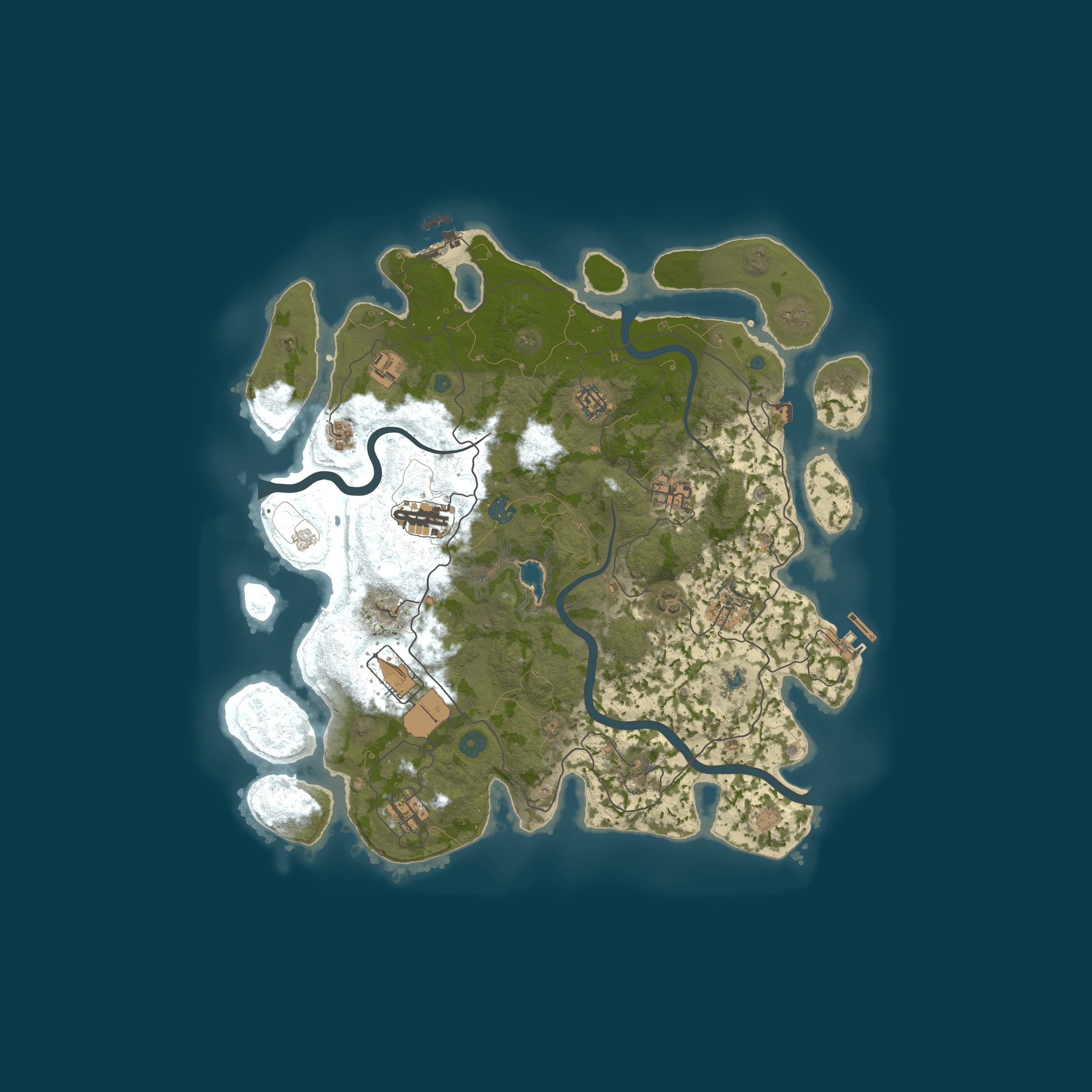
- map
- Procedural Map
- size
- 4000
- seed
- 12345
Server
srv.info()- address
- 15.235.28.64:3867
- region
- –
- max players
- 20
- group limit
- 8, the default
- wipe schedule
- –
- last wipe
- 18 Oct 2026, 18:59 UTC
- hostname
- –
- first seen
- 18 Oct 2026
Similar servers · the same kind of game, then region, group limit, rate and wipes
rust.similar(srv).head(6)| server | like_this | players | |
|---|---|---|---|
| 0 | ShockRust | Blue | NoLimit | no group limit · 149 on average | 111/500 |
| 1 | МИНИ-КАРТА 2Х | STORM | FPS+ 28.10 | EU · groups of 8+ · weekly · 128 on average | 123/100 |
| 2 | RETRO RUST #1 Х1000|NOLIMIT|LOOT++|KIT WIPE 27.10 | EU · groups of 16+ · weekly · 118 on average | 172/225 |
| 3 | 404 RUST 2Х|ДЛЯ НОВИЧКОВ|EU MAIN 25.10 | EU · groups of 16+ · monthly · 93 on average | 55/700 |
| 4 | RustSpain.com | EU Main | EU · groups of 12+ · weekly · 88 on average | 2/200 |
| 5 | 404 RUST 2Х|ДЛЯ НОВИЧКОВ|РУССКИЙ 24.10 | EU · groups of 16+ · monthly · 84 on average | 24/1000 |
Quick answers
From the figures on this page.
Population data
What position does My Rust Server | ScalaCube take in the server rankings?
Over the last seven days My Rust Server | ScalaCube sits at #15,285 on player hours, in the top 69% of ranked servers.
How many players does My Rust Server | ScalaCube hold at once?
My Rust Server | ScalaCube returns no live count at this refresh, having last been seen 10 days 7 hours ago.
Server data
What Rust version does My Rust Server | ScalaCube run?
The build is Rust network protocol 2634 and build 167781 on Linux, run by My Rust Server | ScalaCube. The protocol has to match before you can join, and Steam does the updating.
Is My Rust Server | ScalaCube up, and what does its uptime show?
Offline now for My Rust Server | ScalaCube, last seen 10 days 7 hours ago. Over the last 7 full days the hours up number 0 of 168, 0%. Rust Data logged it first on 18 October 2026.
In which location is My Rust Server | ScalaCube hosted?
There is no region published for My Rust Server | ScalaCube. The location shown by Rust Data is what a server says, not a lookup of where the machine stands. You can reach it at 15.235.28.64:3867.
Rules, settings, map
What rules and settings are recorded for My Rust Server | ScalaCube?
The name My Rust Server | ScalaCube carries no gather rate. No custom cap; the default of 8 players per group stands. survival is the game mode here, and the usual game, with gathering, building and raiding. Fighting and raiding between players are allowed. It appears under Modded, where plugins or settings change how the game plays. Plugins installed: Oxide. VAC is running: Valve's anti-cheat is on.
Which map has My Rust Server | ScalaCube loaded?
Size 4,000, seed 12345: the procedural map on My Rust Server | ScalaCube, generated by the game. The same size and seed produce the same map; this page links to RustMaps so it can be viewed.
Wipes and dates
On what schedule does My Rust Server | ScalaCube wipe?
Too few wipes are on record for My Rust Server | ScalaCube to reveal its rhythm. On Thursday 5 November at 19:00 UTC the next monthly force wipe runs, and no Rust server is exempt. A new world was started 10 days 14 hours ago, and that is the one in play.
On My Rust Server | ScalaCube, what happens on wipe day?
Across recent wipes the busiest point averaged 0 players. 0 hours after the latest wipe, the crowd reached its peak.
Lists and tags
Which Rust Data filters and lists contain My Rust Server | ScalaCube?
On Rust Data, My Rust Server | ScalaCube appears in these lists: Modded Rust servers. Under these filters on the server list, it is listed: Type: Modded; Server tag: Modded ^z and Oxide ^o; Group limit: 5 or more; Last wipe: In the last 2 weeks.
How should you read the server tags on My Rust Server | ScalaCube?
The game's server browser reads these tags from My Rust Server | ScalaCube: gmrust (Game mode): Rust survival in its standard form; mp20 (Max players): Slot count: 20; ts8 (Group limit): Team limit of 8, as shipped by default; v2634 (Protocol): The server speaks protocol 2634, so match your game version; cs167781 (Build): The server runs build 167781; ptrak (Networking): The network layer is RakNet, standard for the game; $r? (Region code): Region code: not set; ^o (Oxide): The plugin framework in use is Oxide (uMod); ^z (Modded): Plugins or settings alter the game, so it sits under Modded. Current players, queue length and world creation time are among the tags and are displayed at the top of this page.
Connecting
How can I connect to My Rust Server | ScalaCube?
Enter client.connect 15.235.28.64:3867 in the console (F1 in Rust). Or press Launch Rust here, which opens Rust through Steam and makes the connection.